
Clients book online, even when your salon is closed.
Online booking through your website or a QR code, a shared calendar for the salon and an app with each employee's schedule. With the AI assistant, clients can also book on Instagram, Messenger, WhatsApp and your website chat.
Three apps. One calendar.
Clients book online, you manage the salon's schedule, and your staff keep track of their appointments on their phones. All the apps are connected to the same calendar.
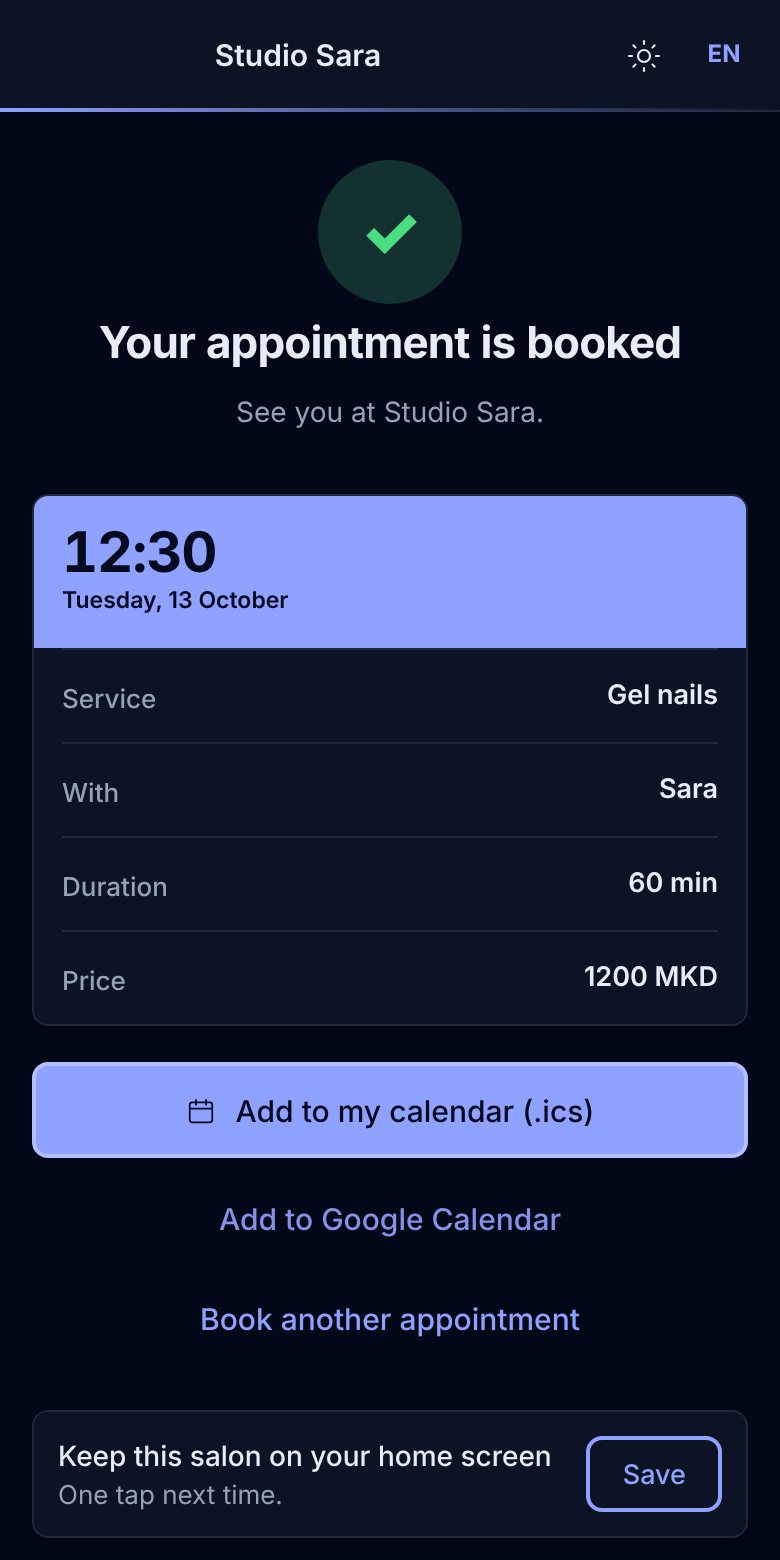
Customers book online — 24/7.
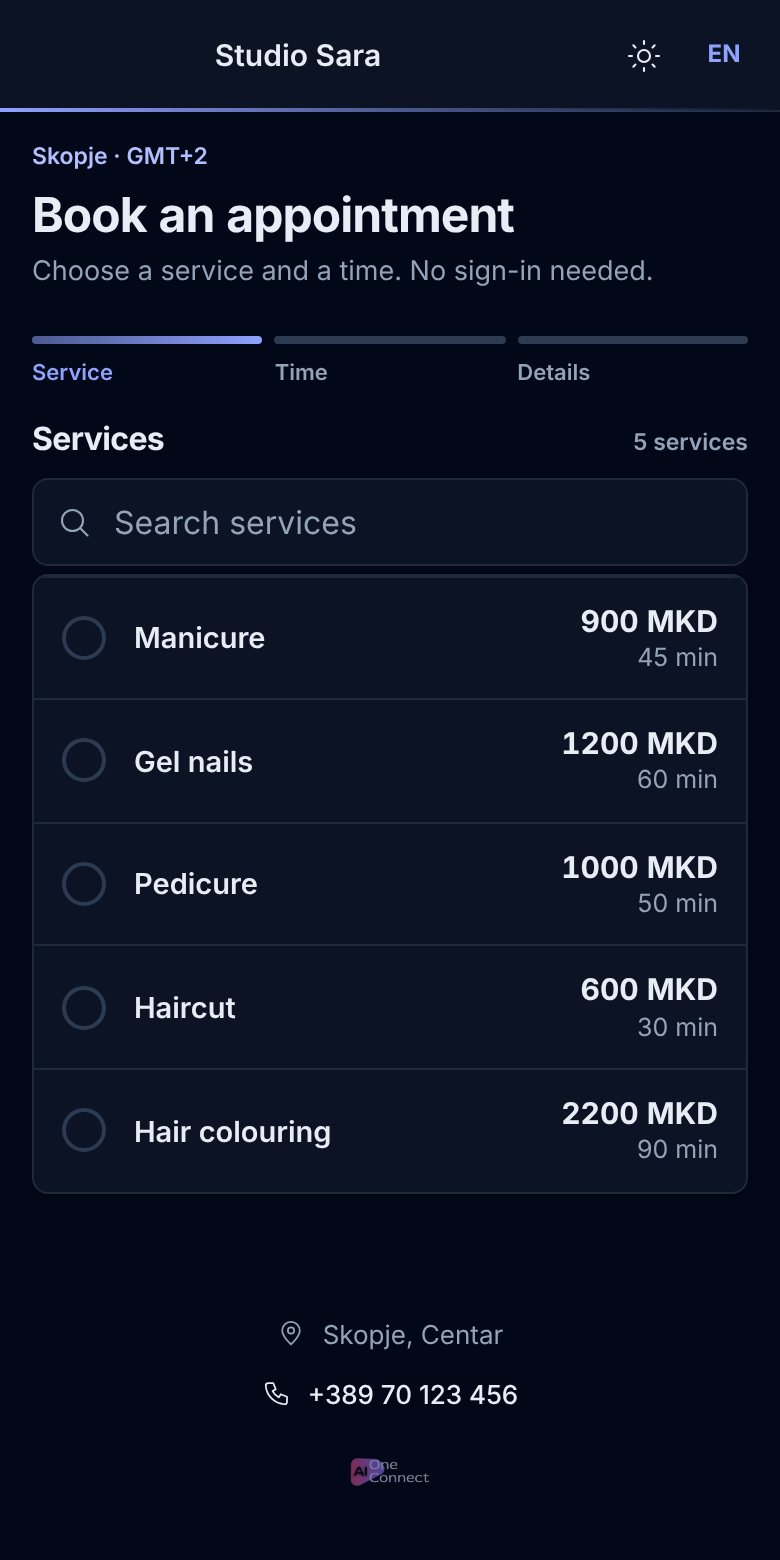
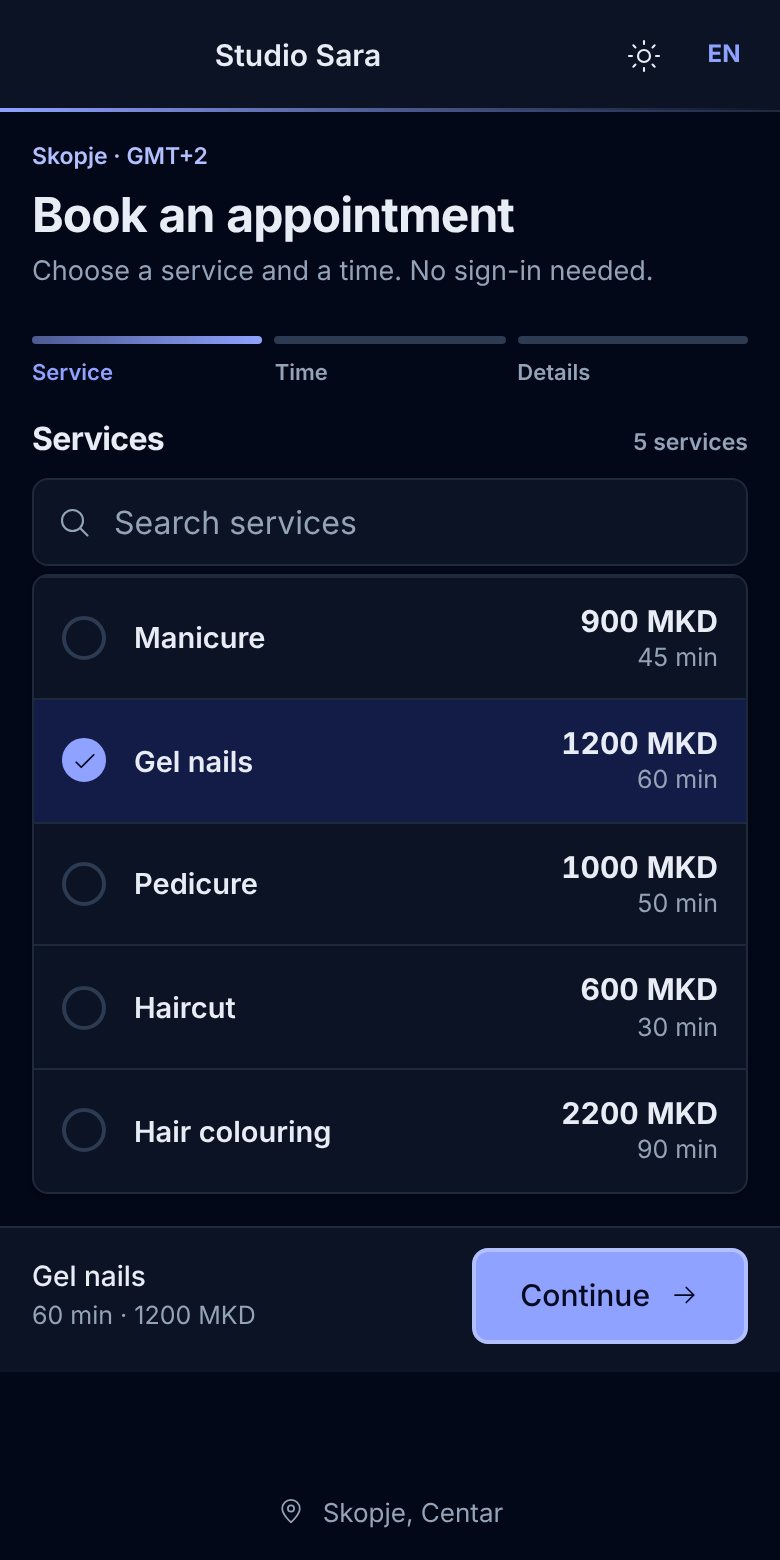
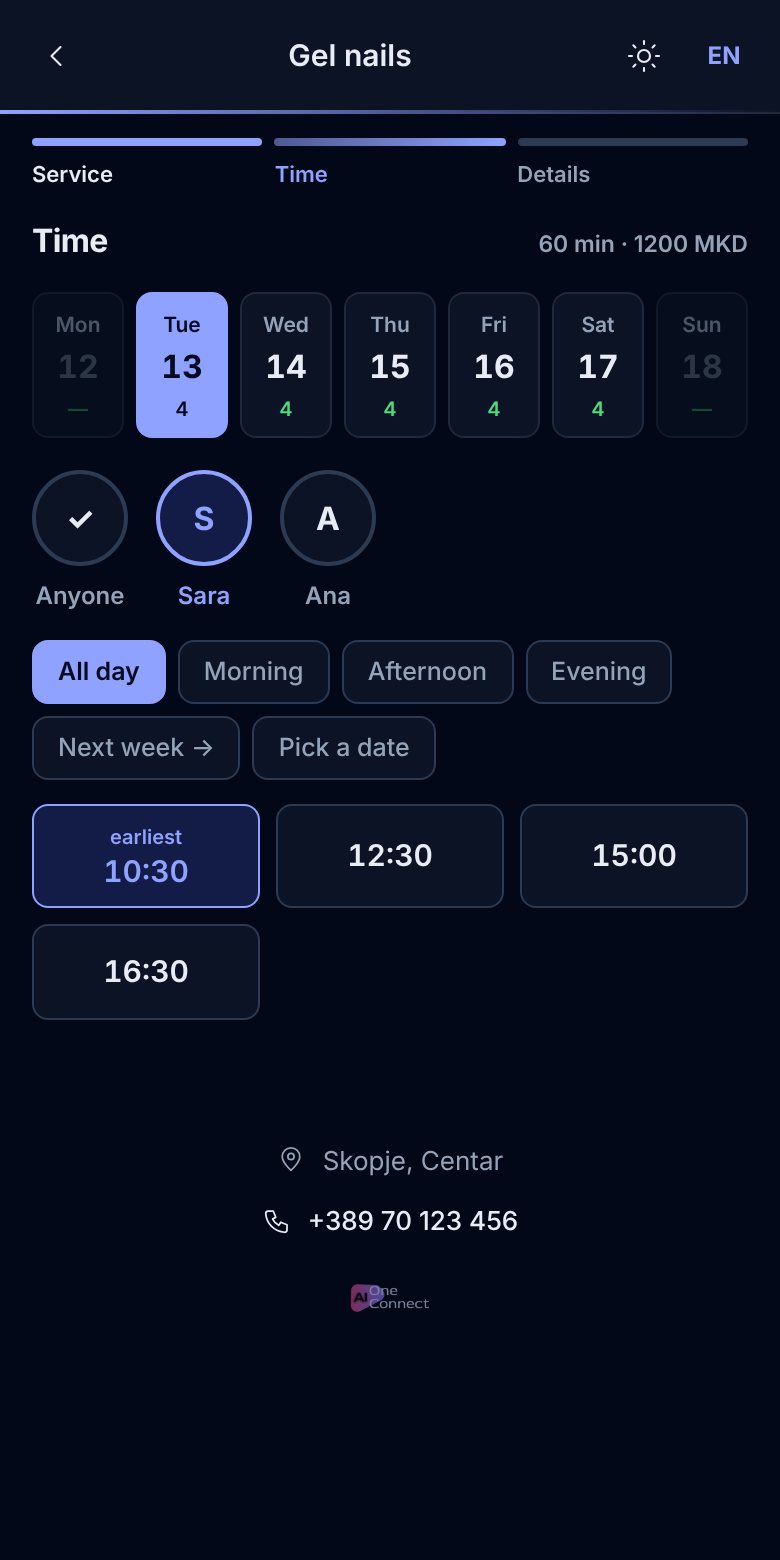
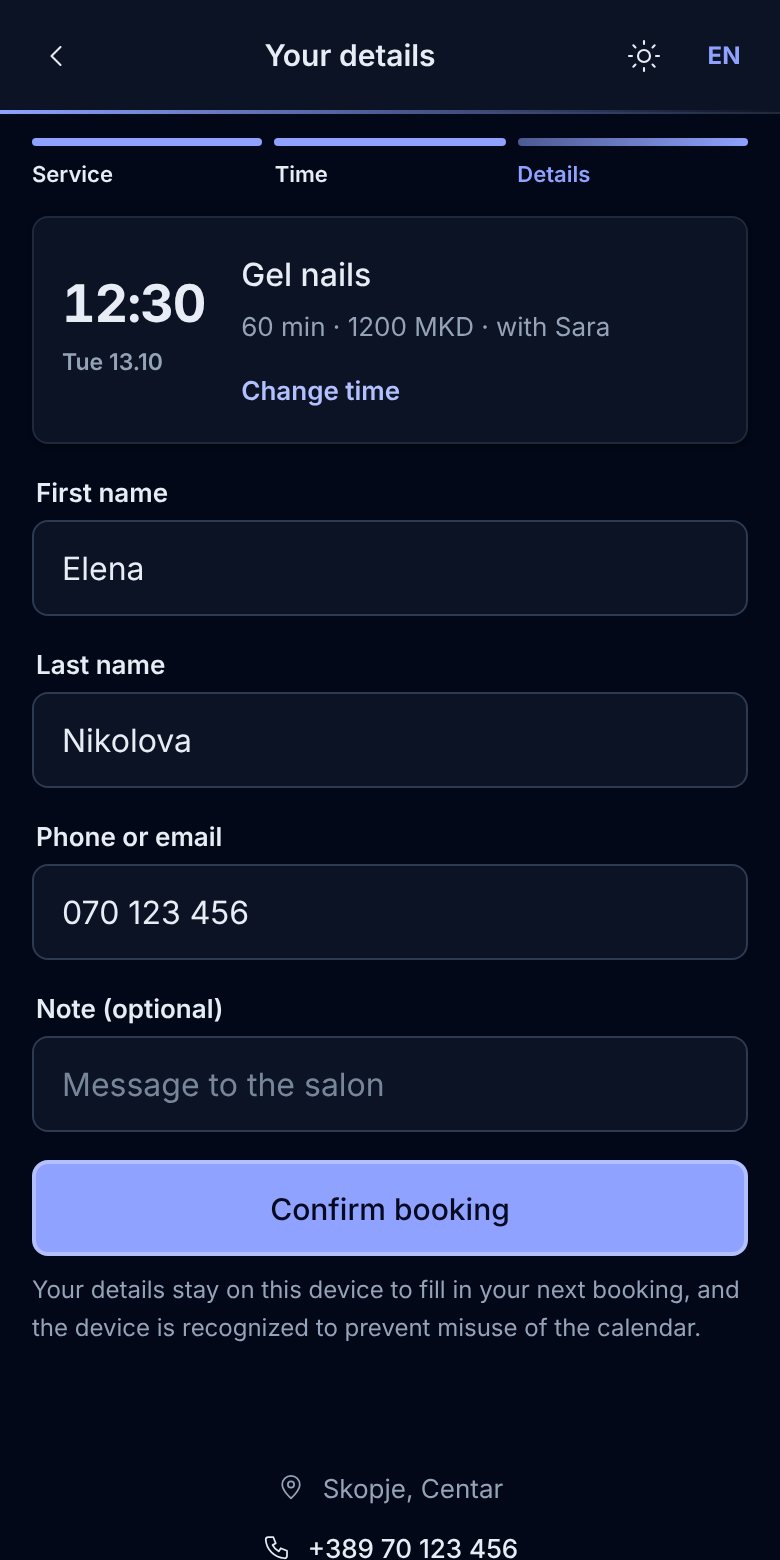
Add a booking button to your website, share the link on Instagram or display a QR code in the salon. Clients choose a service, a staff member and an available slot.
- Available slots for the chosen staff member
- A confirmation, a reminder and a place in the phone's calendar
- Rescheduling or cancelling in “My appointments” on the booking page
- Macedonian, English, Albanian and Turkish
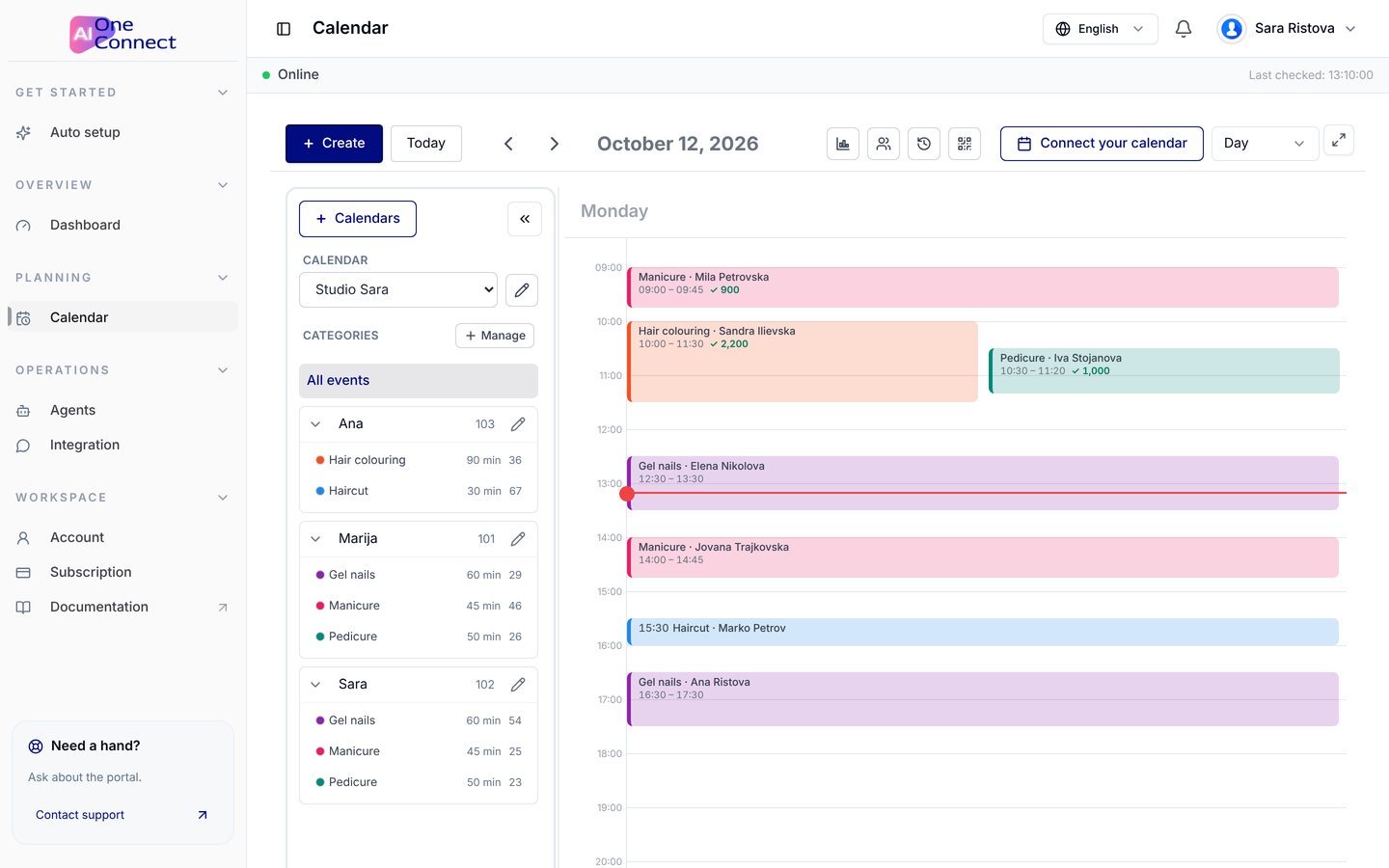
The whole salon on one screen.
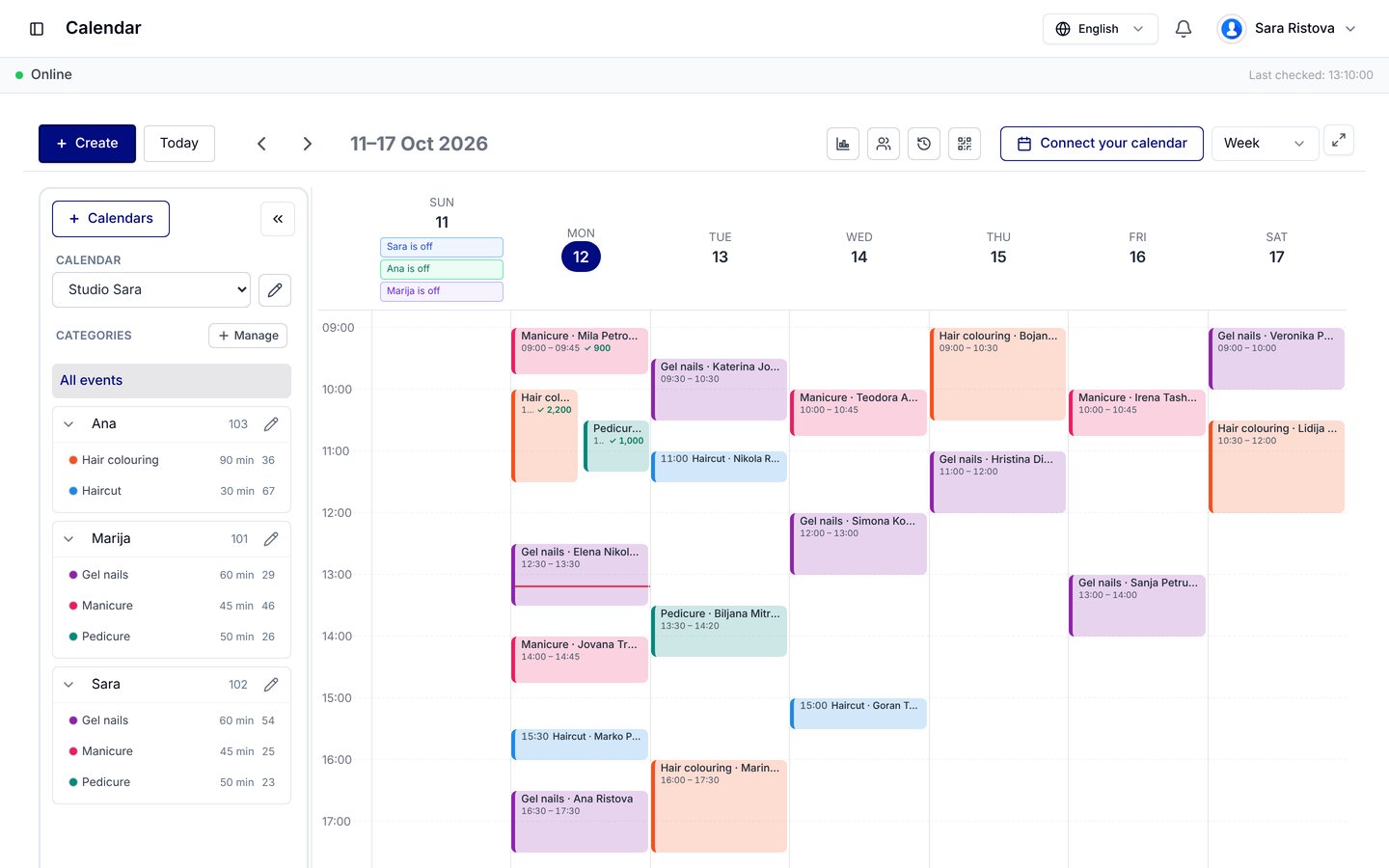
Each employee has their own schedule, working hours and breaks. In one place, you see appointments booked through the app and the assistant, plus the ones you enter after a phone call.
- Services with set durations and phases, leaving room for another booking during a pause
- Sync with Google, Outlook and Apple Calendar
- Client notes, cancelled visits and what each employee charged
- Restrict online booking for clients who don't show up
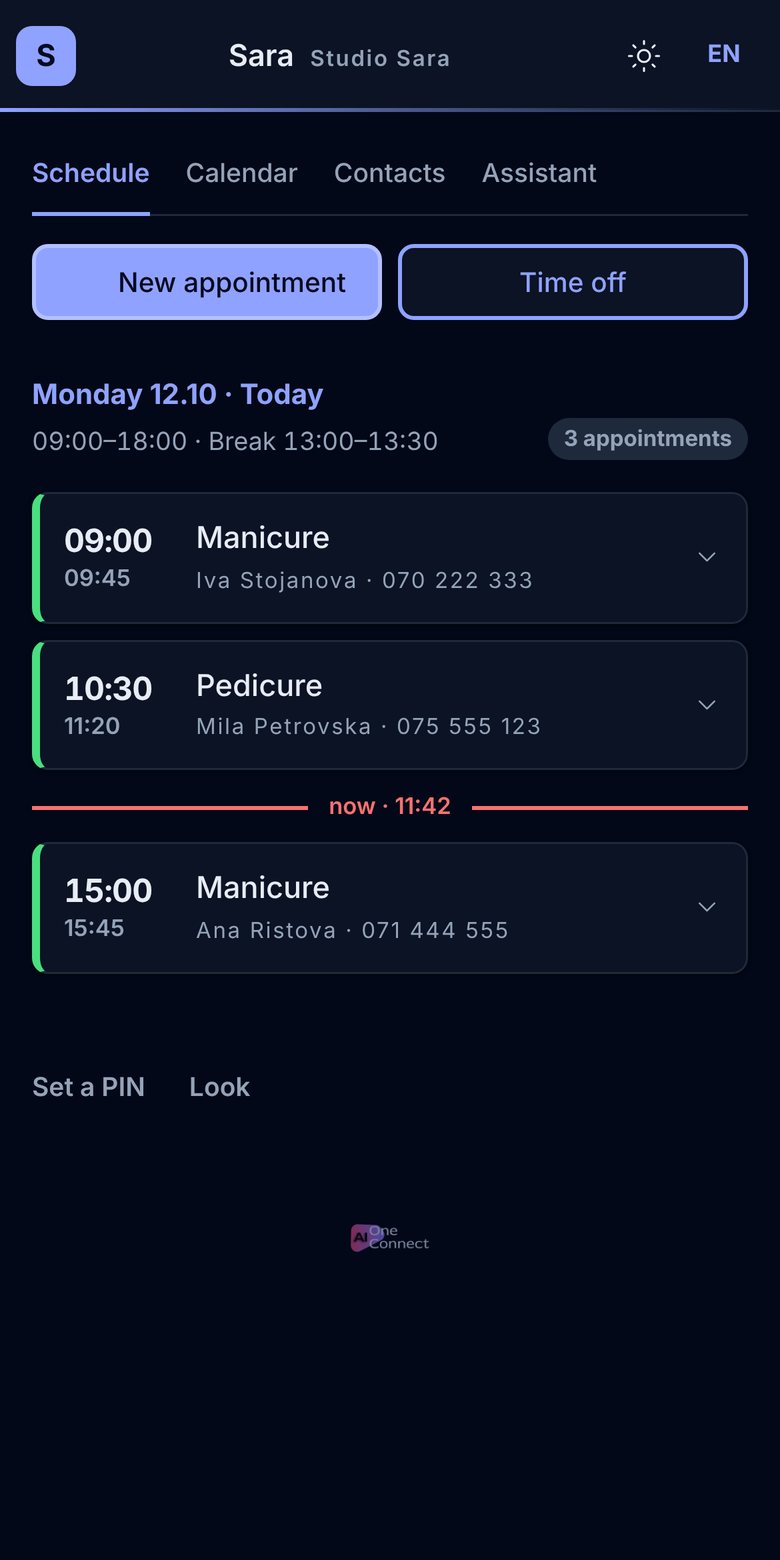
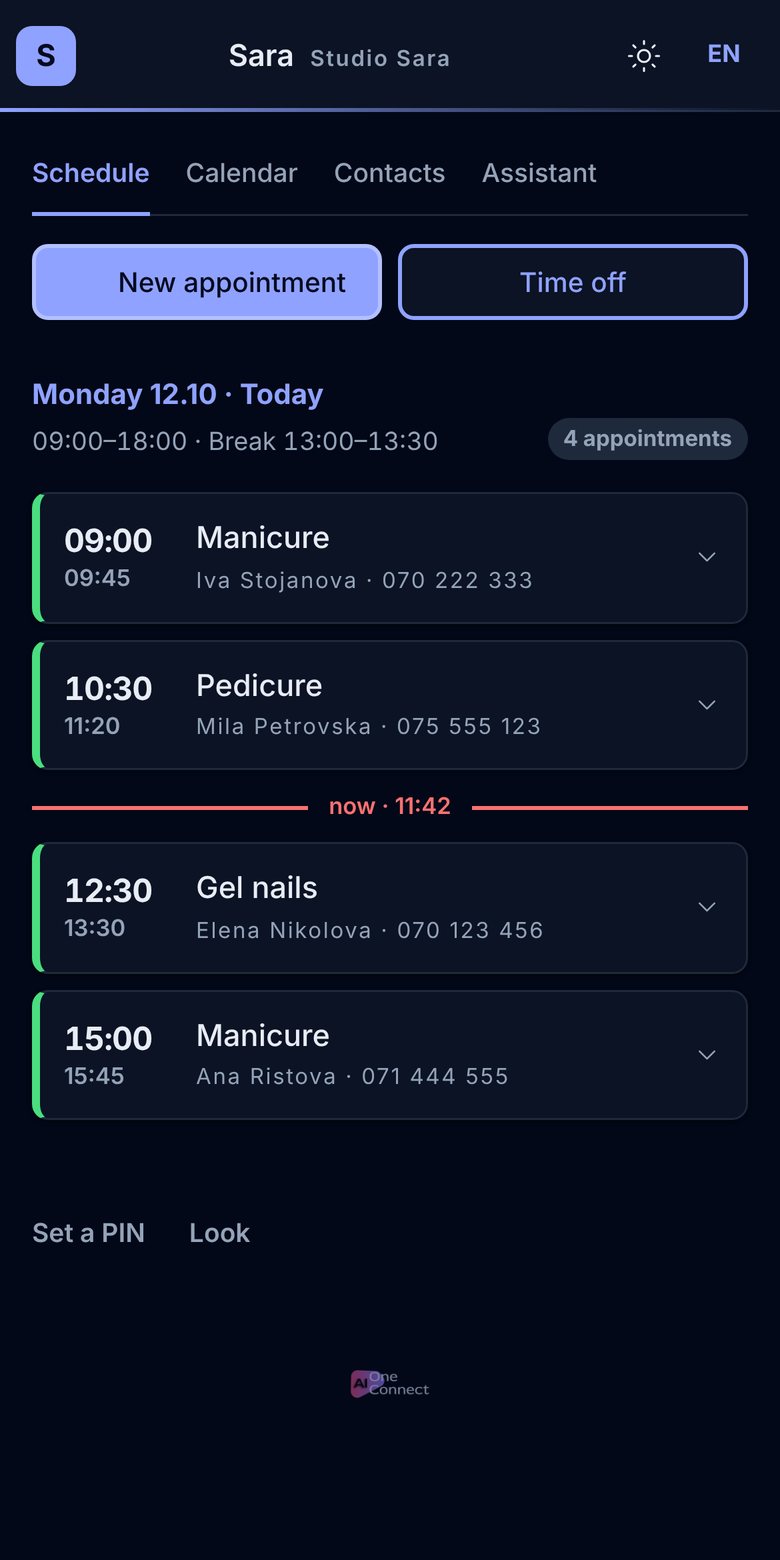
Every employee's schedule, on their phone
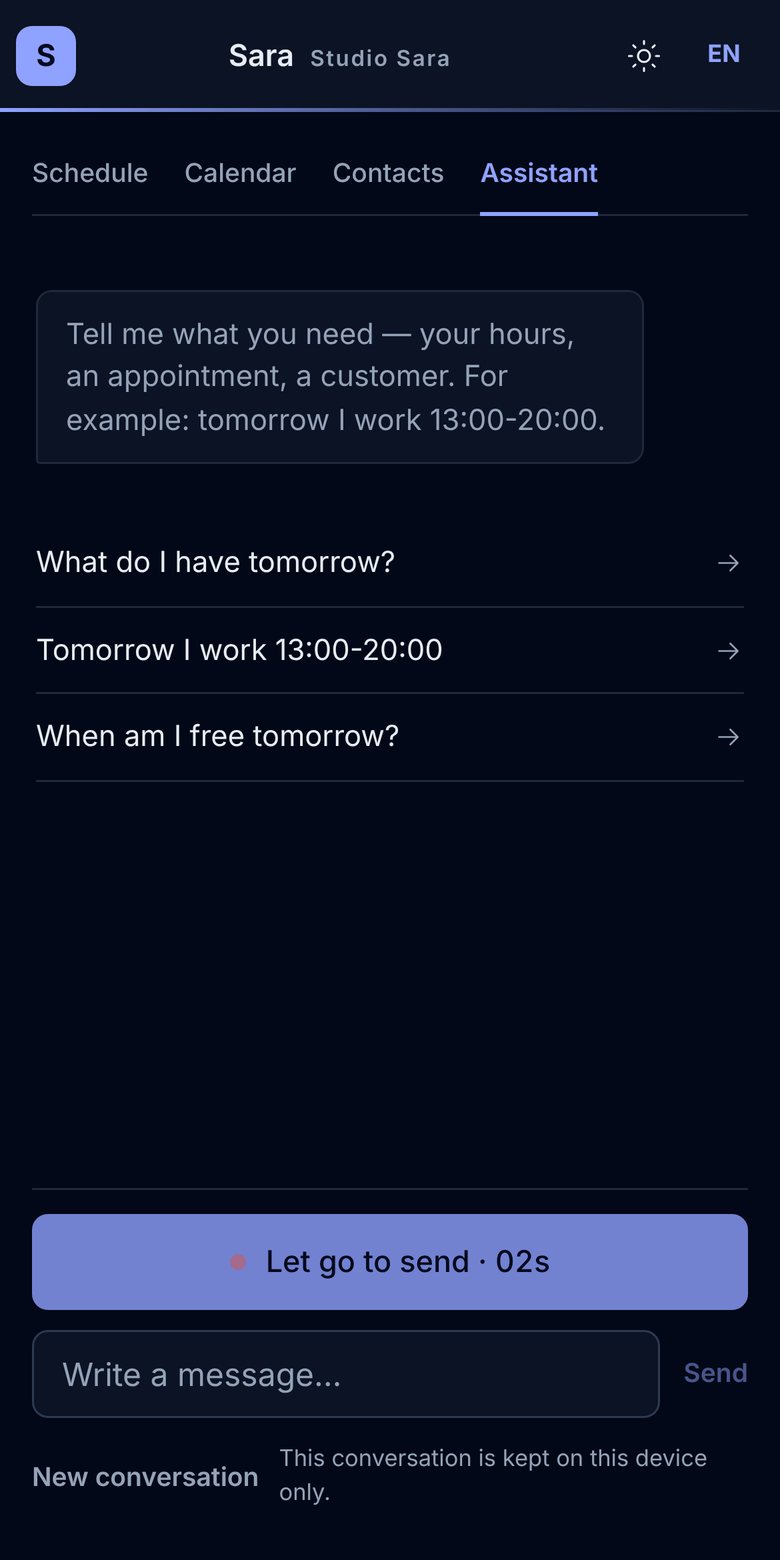
Each employee opens the app with their own QR code, without a password and with optional PIN protection. They can view their schedule, get notifications, book and change appointments, and log time off.
- A notification for every new, moved or cancelled booking
- Quick entry of a new booking or time off
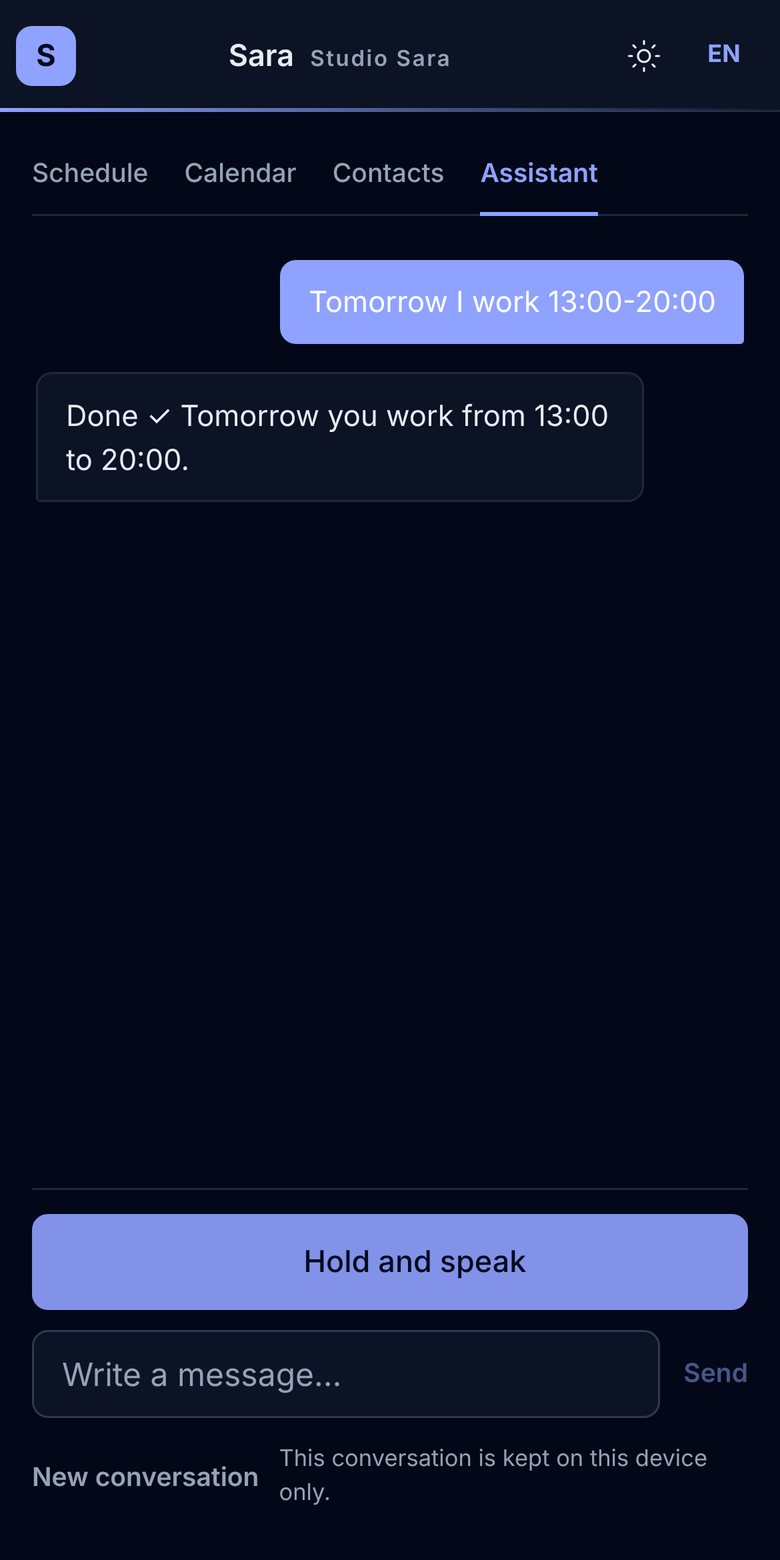
- Voice commands in packages with AI, for example: “Tomorrow I'm working from 1 to 8 pm”
- Client notes and a record of payments
From a message to a booked appointment
Clients get answers and book on Instagram, Messenger, WhatsApp or your website. The appointment goes into the same calendar, and the conversation is in the client's language.
- Choosing a serviceWhen a service has several variants, such as a cut for short or long hair, the client picks the right option.
- Choosing a staff memberIf the client asks for a specific staff member, the assistant offers that person's available slots.
- Choosing an available slotIf the chosen day is fully booked, the assistant suggests other available days.
- Confirming the appointmentThe assistant takes the client's name and phone number and confirms the appointment once it's saved.
- Notifying the staff memberThe appointment appears in the calendar, and the staff member gets a notification on their phone.
Features for everyday salon work
Packages for salons
Choose a package based on your number of staff and the channels and messages you need. Start with a free trial.
How do I add online booking to my website?
By adding a short piece of code, you can show booking as a button or as a whole page. You also get a link and a QR code for Instagram, business cards or the salon itself.
How are overlapping bookings prevented?
Whenever someone books, the staff member's availability is checked. Slots that are already taken aren't offered for new bookings in the app or by the assistant. In the portal calendar, you can still knowingly book a busy slot yourself.
What if a client wants a specific person?
The client picks the staff member in the app or names them in the chat with the assistant. If there's no available slot on the chosen day, other times with the same staff member are offered.
How does my staff see their schedule?
Each employee gets their own QR code to open their schedule on their phone, with optional PIN protection. They can change appointments and breaks in the app, and also by voice command in packages with AI.
Can clients reschedule or cancel on their own?
Yes, in “My appointments” on the booking page or in the chat with the assistant. The change shows up in the calendar, and the staff member gets a notification.
Does it work with my Google Calendar?
Yes. You can connect Google, Outlook or Apple Calendar. Events from each staff member's own calendar show as busy time, and those slots aren't offered for booking.
Do I need the AI assistant?
No. You can use online booking, the calendar and the staff app without the AI assistant. The assistant is an extra option for booking through messages.
How much is it, and is there a trial?
You can try the service free, without a payment card. After the trial, the price depends on the package you choose. You'll find the details and what each package includes in the Pricing section.
How can AI make your work easier?
Tell us what your business does and which tasks you'd like to automate. We'll look at your idea and send you a proposal, free and with no obligation.
Let your clients book online
Set up in a few steps. Free trial, no payment card needed.
Do you also have an online shop? Learn more for online shops